
Register and connect through the Altegio app
Povidomlyaka sends automatic appointment reminders and other messages to your clients through Telegram, WhatsApp, and SMS, based on the appointments in your Altegio account. This guide shows the fastest way to start: install Povidomlyaka directly inside Altegio and finish your registration there. When you are done, your free trial is active and you can connect your first channel.
There are two ways to start. This guide covers the Altegio-first way. If you prefer to create your account first, see Register in your account, then connect Altegio.
What you'll need
An Altegio account with administrator access. Only an administrator can install integrations.
A few minutes. You do not need to enter payment details to start the trial.
Install and register
Sign in to Altegio as an administrator.
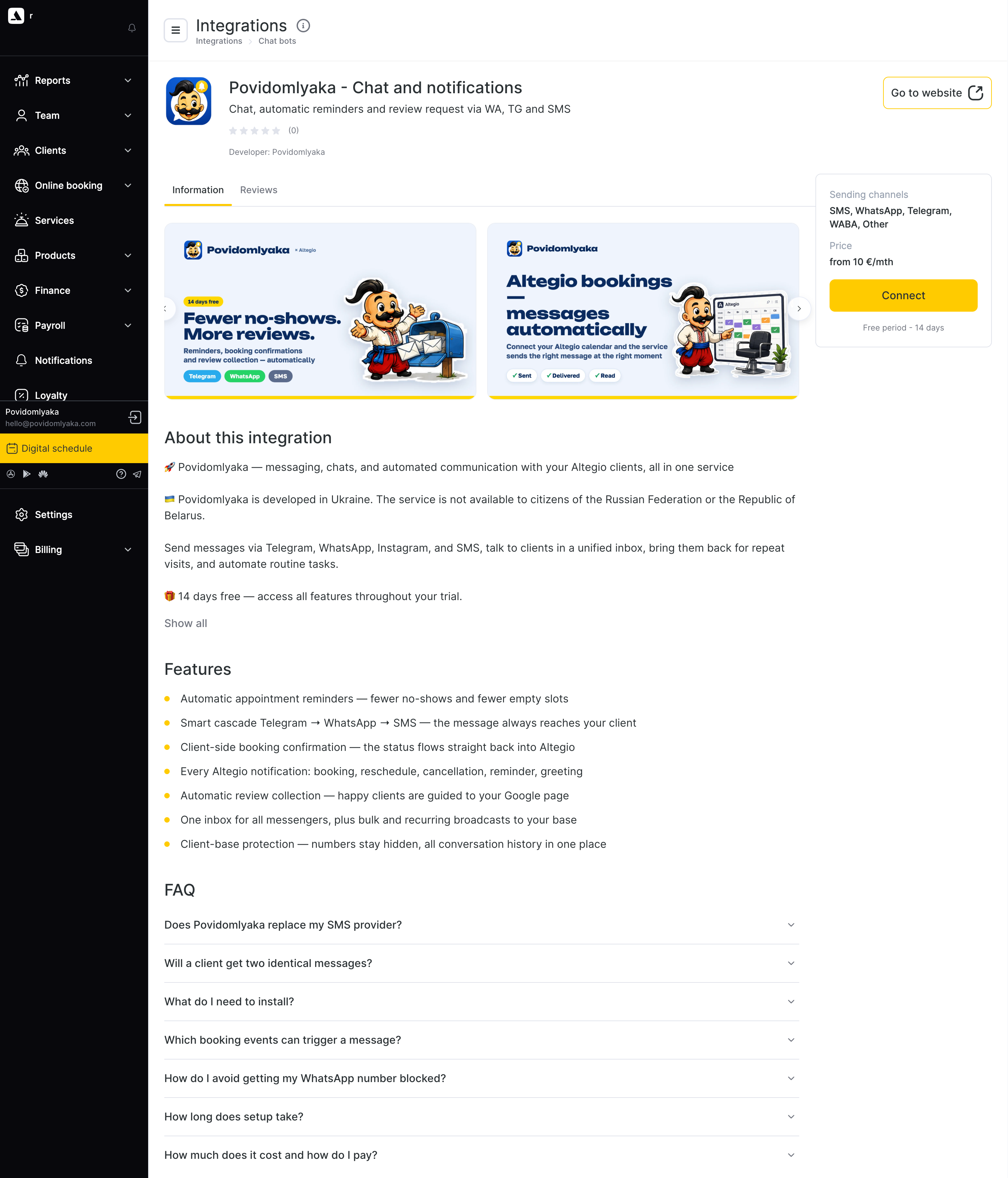
In the left menu, open Integrations, then Notifications.
Find Povidomlyaka in the list and open it.
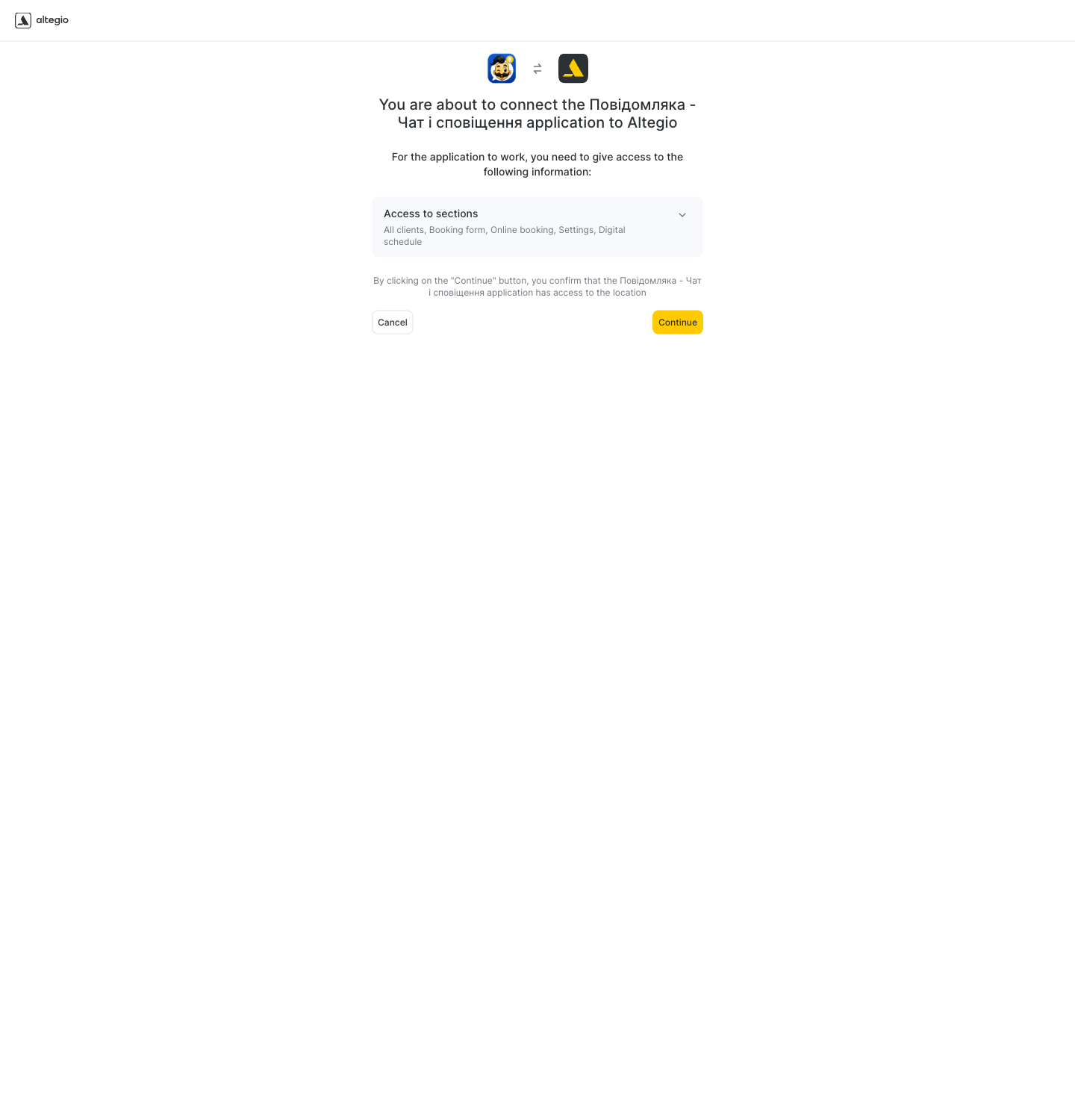
Click Connect, then approve the access that Povidomlyaka requests. This access lets Povidomlyaka read your appointments so it can send reminders.
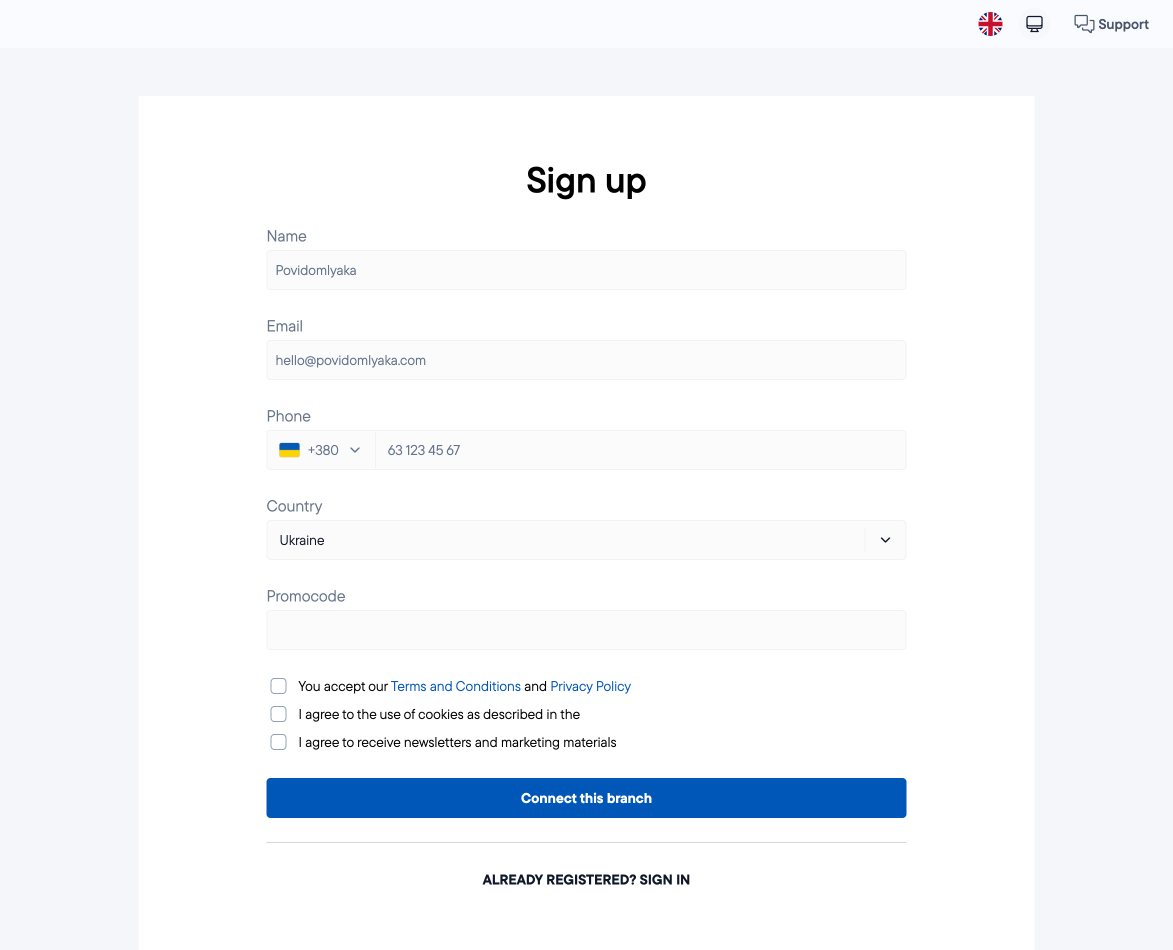
The Povidomlyaka registration form opens inside Altegio, with your company details already filled in. Check that your name, email, and phone number are correct.
Accept the terms of service and click Register.
What happens next
Your free trial starts automatically, and setup instructions are sent to your email.
Your Altegio account is now linked to Povidomlyaka. In your cabinet, Altegio appears under Connected CRM on the Channels page.
Your cabinet has three main areas: Channels, History, and Settings.
Next steps
Set up the cascade sending order.
Set up appointment notifications.
Was this article helpful?
100% found this helpful (1 vote)