
Confirm appointments automatically with the AI bot
On this page
The appointment-confirmation bot asks the client to confirm their visit and acts on the answer. If they confirm, the appointment is marked confirmed in Altegio. If they cancel, the slot is freed so someone else can book it. With AI enabled, the bot understands free-form replies, not just “+” or “-”.
What you'll need
Altegio connected, with at least one channel online.
The confirmation-request notification enabled in Altegio.
Turn on the confirmation request in Altegio
In Altegio, open Settings → Notifications → Notification types.
Enable the appointment-confirmation request.
Add the message text, for example: “Reply + to confirm your visit, or - to cancel.”
📷 Screenshot: the Altegio confirmation-request notification type, enabled with template text.
Configure the bot in Povidomlyaka
Open Integrations → Altegio → Open → Integration.
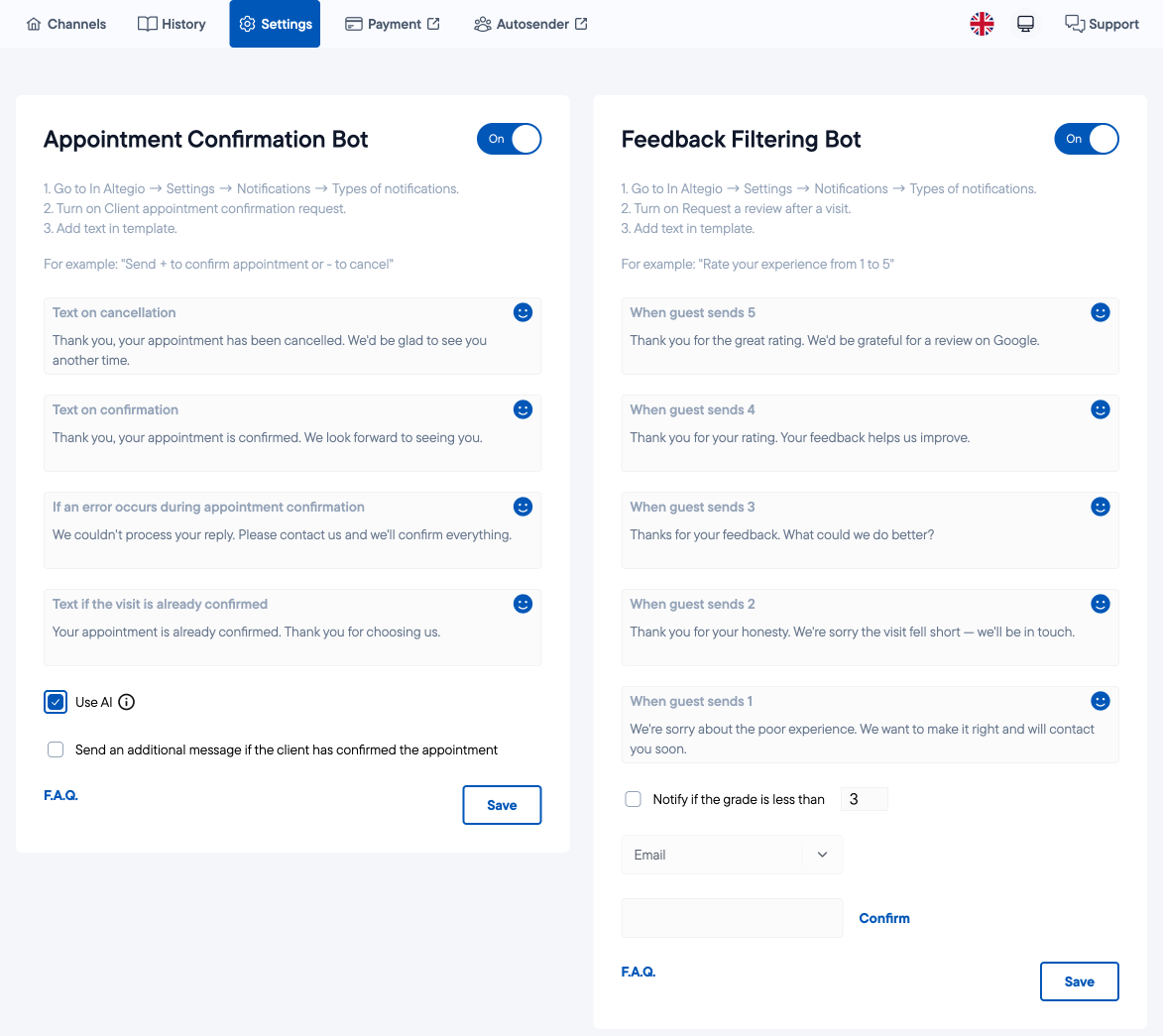
Turn on the Appointment-confirmation bot.
Fill in the replies the bot sends: the confirmation text, the cancellation text, an error text, and a message for when the visit is already confirmed.
Tick Enable AI so the bot understands natural replies like “yes, I'll be there” or “can't make it”.
Optionally, tick the box to send an extra message after the client confirms.
Click Save.
What the client sees
They receive the reminder with the confirmation request.
They reply in their own words; the bot understands and responds.
The appointment is confirmed, or the slot is freed — instantly, with no calls from your team.
Was this article helpful?
100% found this helpful (1 vote)