
Set up the cascade sending order
On this page
The cascade decides which channel each message goes out on. Povidomlyaka tries your channels in order and sends on the first one available to the client — so no one is messaged twice, and no one is missed.
Set the order
Open Channels and find your channel group.
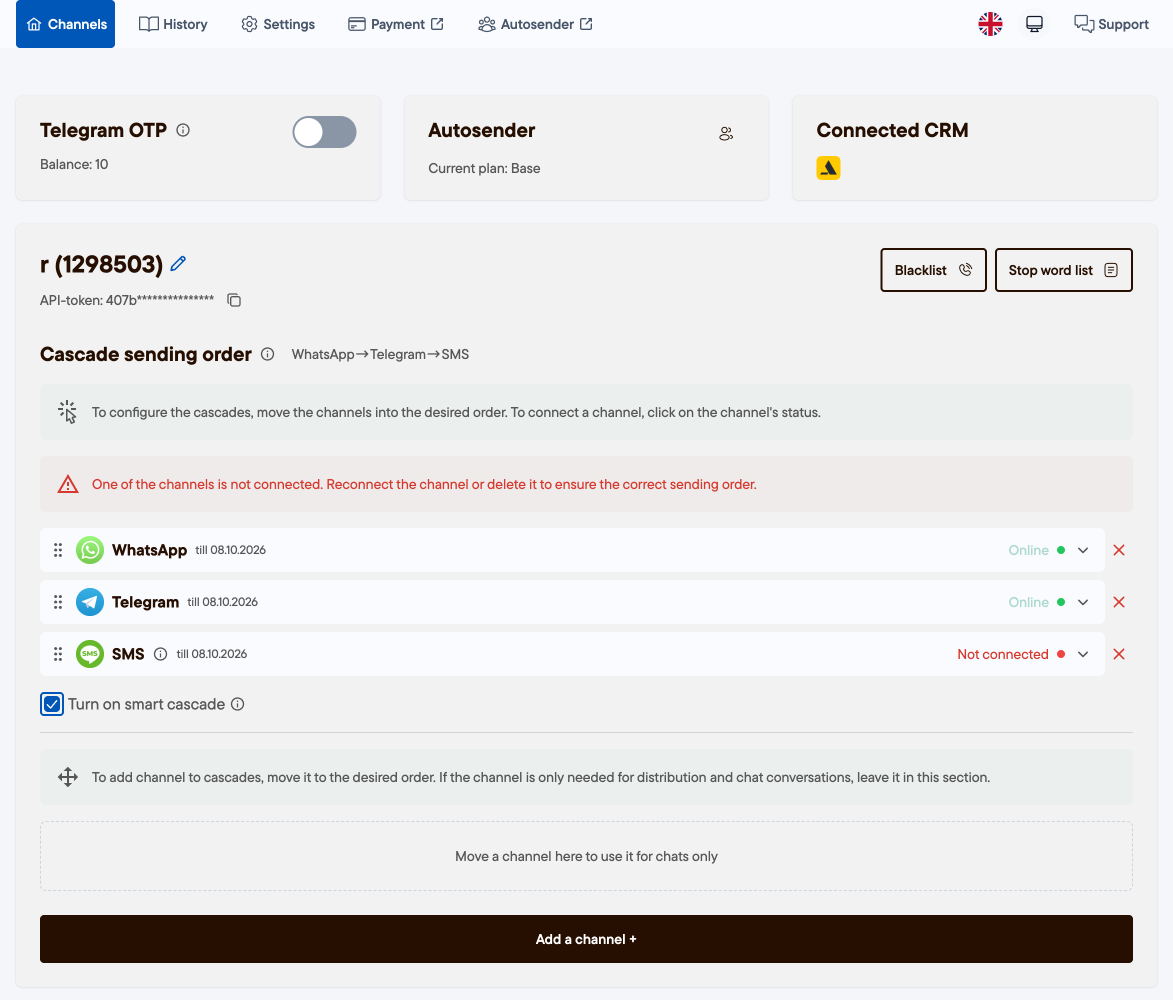
Under Cascade sending order, drag the channels into the order you want. A good default is Telegram → WhatsApp → SMS.
If a channel shows as not connected, click its status to connect it (a disconnected channel breaks the order).
Your changes save automatically.
Options
Smart cascade — turn this on to prioritize the channel the client last messaged you on.
Chats-only channels — drag a channel into the lower area to use it only for chats and broadcasts, not the cascade.
Blacklist — phone numbers that should never be messaged.
Stop-words — keywords that stop a message from being sent.
Was this article helpful?
100% found this helpful (1 vote)