
Start a new chat
1 min read
On this page
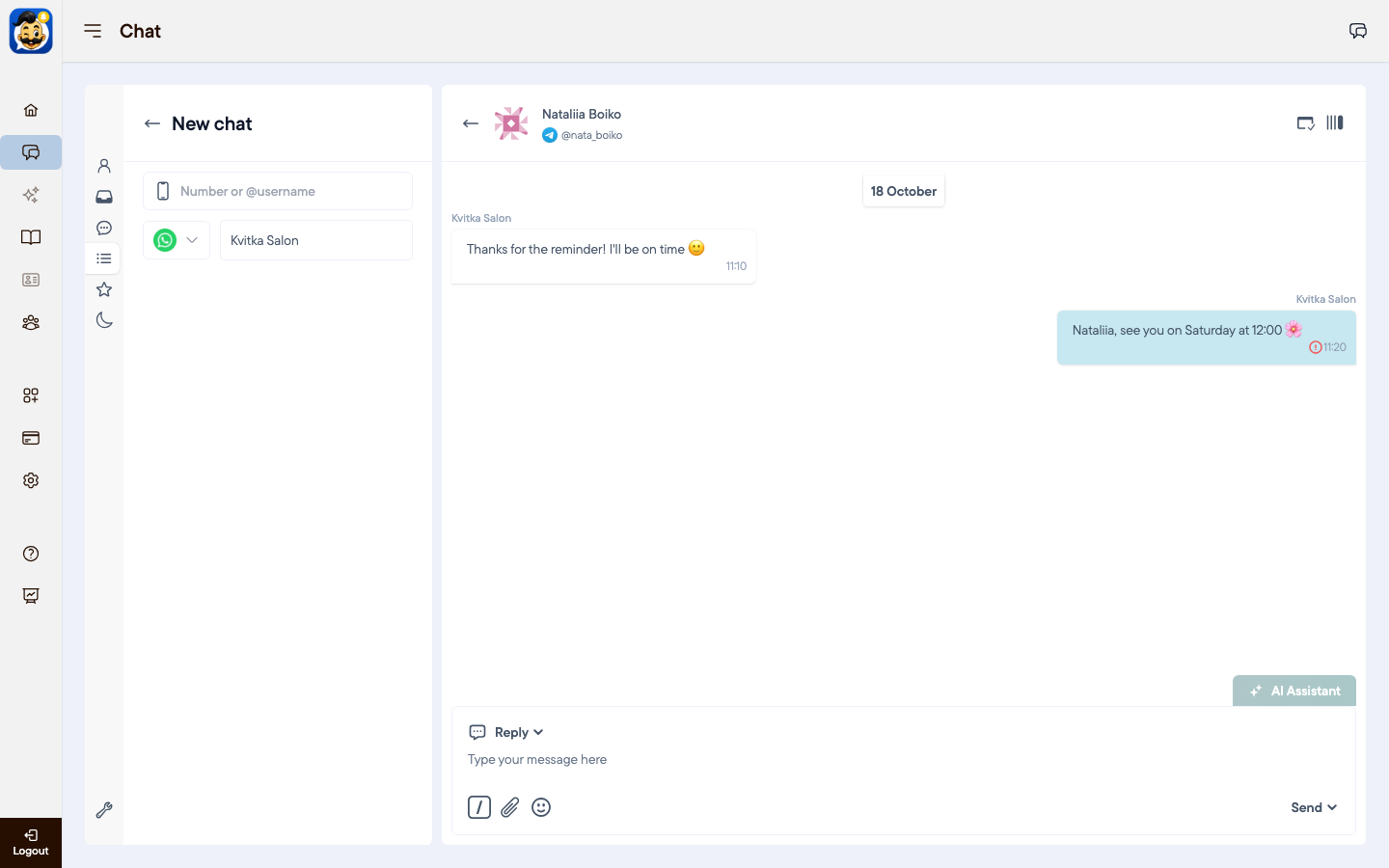
You can write first to a client who has not messaged you yet.
Start a chat
Click the new chat icon next to search, or press Ctrl+E (⌘+E on Mac).
Enter the client's phone number in full international format, for example 380671234567, or a Telegram @username.
Choose the channel: WhatsApp, Telegram or SMS.
Choose the channel group if you have several branches.
Write the message and send it.
Good to know
Povidomlyaka checks whether the message can be delivered. If you see "You can't send message", the client is probably not registered in this messenger. Try another channel, for example SMS.
If you already have a chat with this client in the same channel, it opens instead of a new one.
Was this article helpful?