
Log in to a client's account
On this page
As a partner, you can open and set up the account of any client you brought — without knowing their login or password. You work from your own partner cabinet, and the client keeps full control of payment and their password.
What you'll need
An approved Povidomlyaka partner account. See Become a Povidomlyaka partner.
At least one client who registered with your referral link or code.
Open a client's account
Sign in to your cabinet at app.povidomlyaka.com.
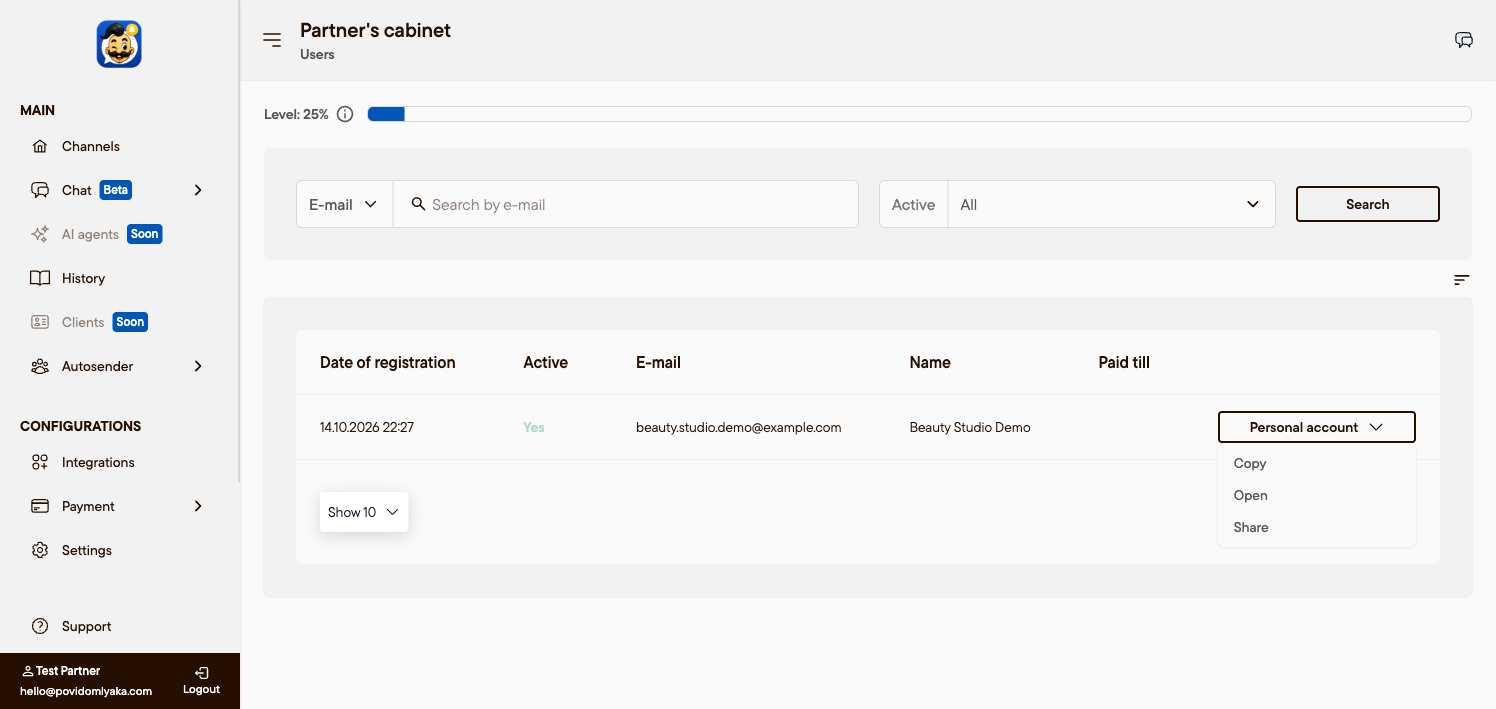
Open the Partners section and go to the Users page — the list of clients you brought.
In the client's row, click Personal account, then Open.
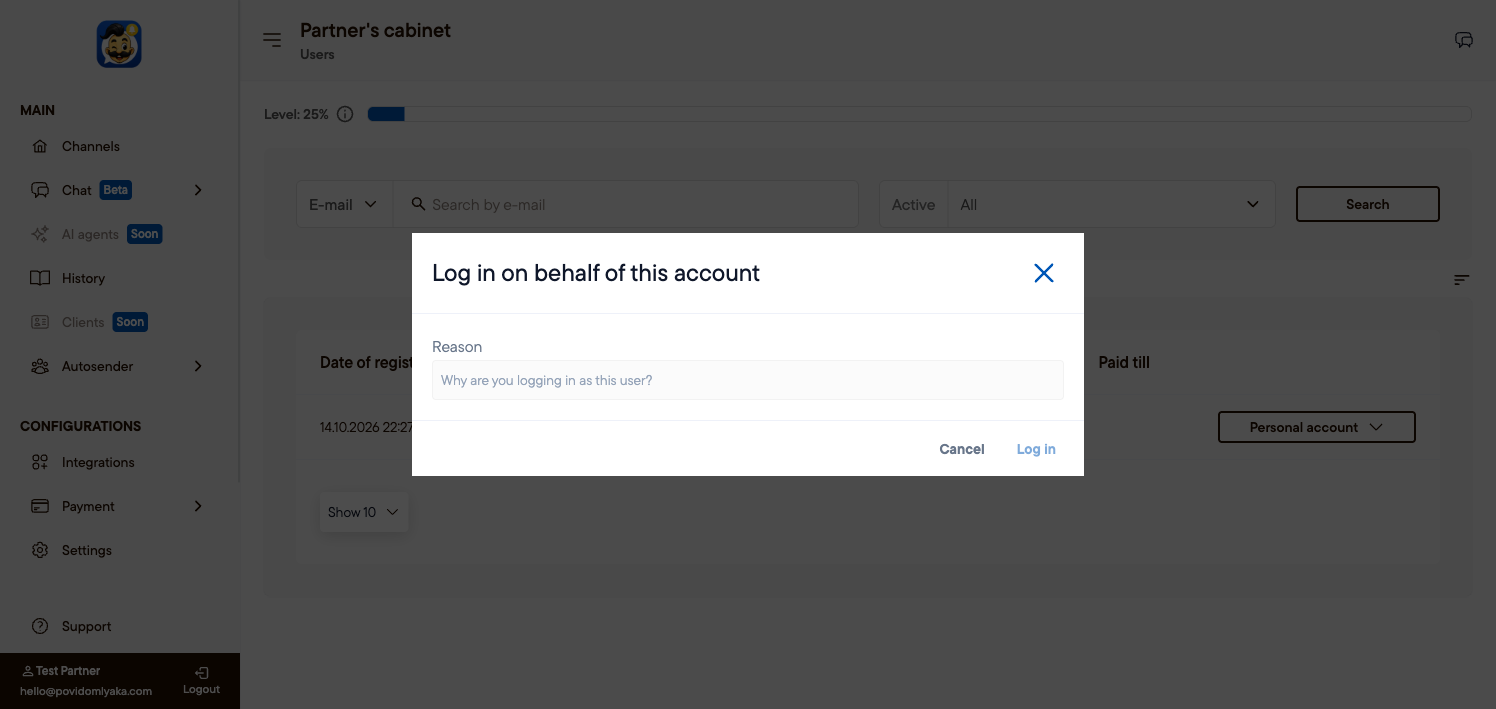
Enter a short reason (for example, "Planfix setup") and click Log in.
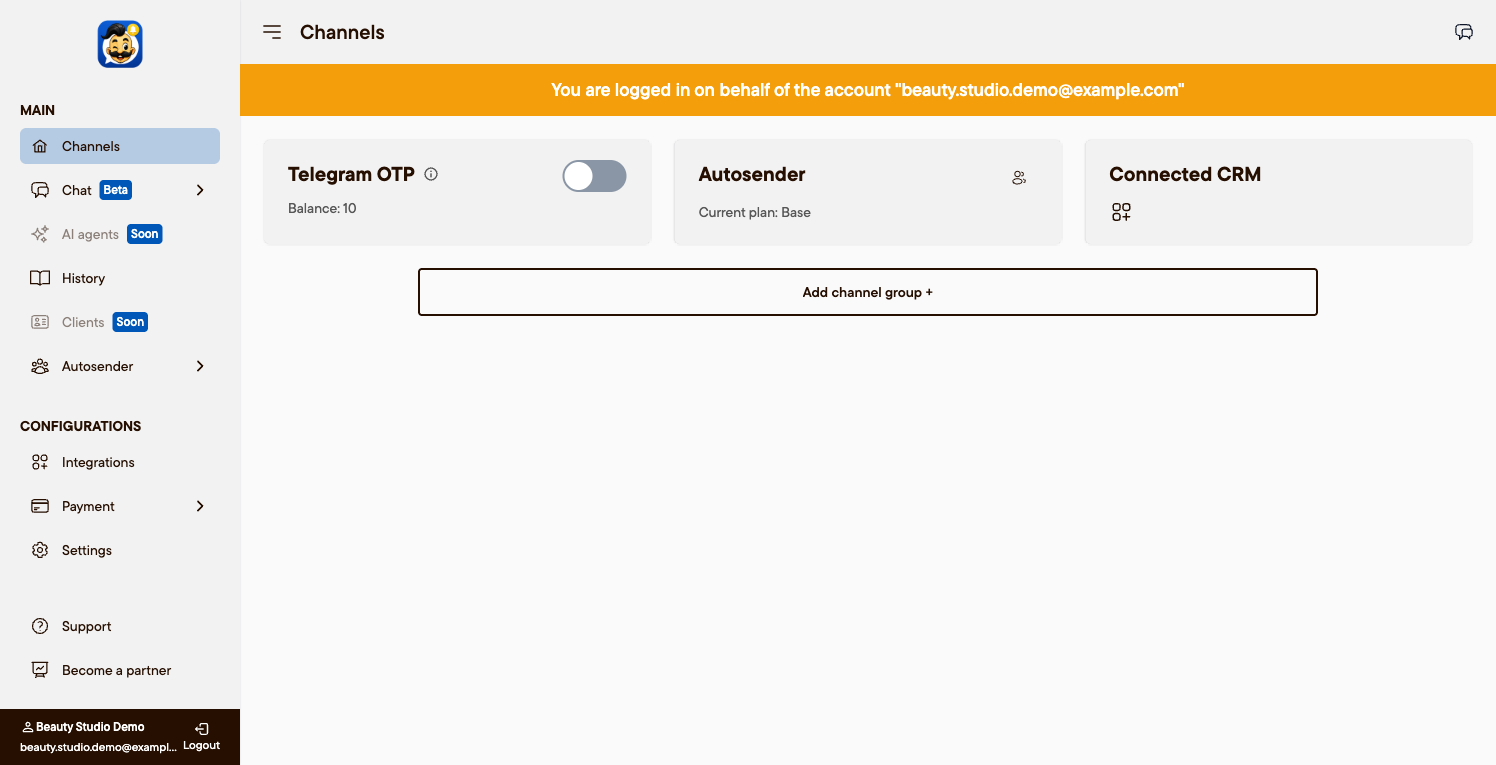
The client's cabinet opens with a banner "You are signed in on behalf of account …", so it is always clear that a partner is working, not the client.
Share access with a teammate
On the same page, use Copy or Share to get a link that opens the client's cabinet. Hand it to a teammate so they can finish the setup without the client's password.
What you can and cannot do
You can: connect channels (WhatsApp, Telegram, SMS), connect a CRM (Altegio, Planfix), set the cascade order, and edit message settings.
You cannot: pay for the subscription or change the client's password — those stay with the client.
This way clients never need to share their passwords with you.
Next steps
Was this article helpful?